


Description
Download Empty Folder Nuker – empty folder cleaner, delete empty folders, clean up folders, remove empty directories, delete empty folders windows
Overview
Empty Folder Nuker is a lightweight, portable utility designed to help users efficiently clean up empty directories across their Windows system. The primary purpose of the application is to identify and remove empty folders that accumulate over time, often cluttering drives and making file management more difficult. This tool is particularly useful for individuals and professionals who manage large volumes of digital files and seek a streamlined way to maintain system organization. By targeting unused or redundant folders, Empty Folder Nuker contributes to a cleaner, more efficient digital workspace.
Target users include casual computer users, system administrators, and anyone looking to optimize storage space without altering active files. The app is especially beneficial for users who prefer minimal intervention and quick results. Unlike traditional cleanup tools that may require installation or complex configurations, Empty Folder Nuker operates directly from an executable file, making it ideal for temporary use or on shared systems. Its focus on simplicity and speed positions it as a niche yet valuable tool within the utilities category.
Developed by Joe C. Jones, the application has been available since 2010, indicating a long-standing presence in the software ecosystem. Although the developer did not provide additional technical details, the app’s continued relevance suggests consistent functionality and reliability. Real-world use cases include desktop cleanup, pre-backup system preparation, and routine maintenance of project directories. The absence of installation requirements enhances its portability, allowing users to run it from USB drives or external storage without leaving traces on the host machine.
Key Features & Functionality
- Portable Operation: No installation is required. Users can run the executable directly, making it ideal for use on public or restricted machines.
- Fast Folder Scanning: The tool scans selected directories—such as the C drive or Desktop—in seconds, identifying all empty folders with high accuracy.
- One-Click Deletion: Once the list of empty folders is generated, users can delete them with a single click, minimizing user effort and reducing the risk of accidental selections.
- Windows Integration: The app integrates with Windows file explorer, allowing users to initiate scans directly from the context menu for seamless access.
- Intuitive Interface: Designed with simplicity in mind, the interface ensures that even non-technical users can navigate and use the tool effectively.
For example, a user managing a large project folder with nested subdirectories can quickly identify and remove empty containers that were created during file organization. Another scenario involves preparing a system for backup by eliminating unnecessary empty folders that could increase backup size. The tool’s ability to operate without installation makes it a go-to choice for IT professionals performing on-site system maintenance.
Interface, UX & Performance
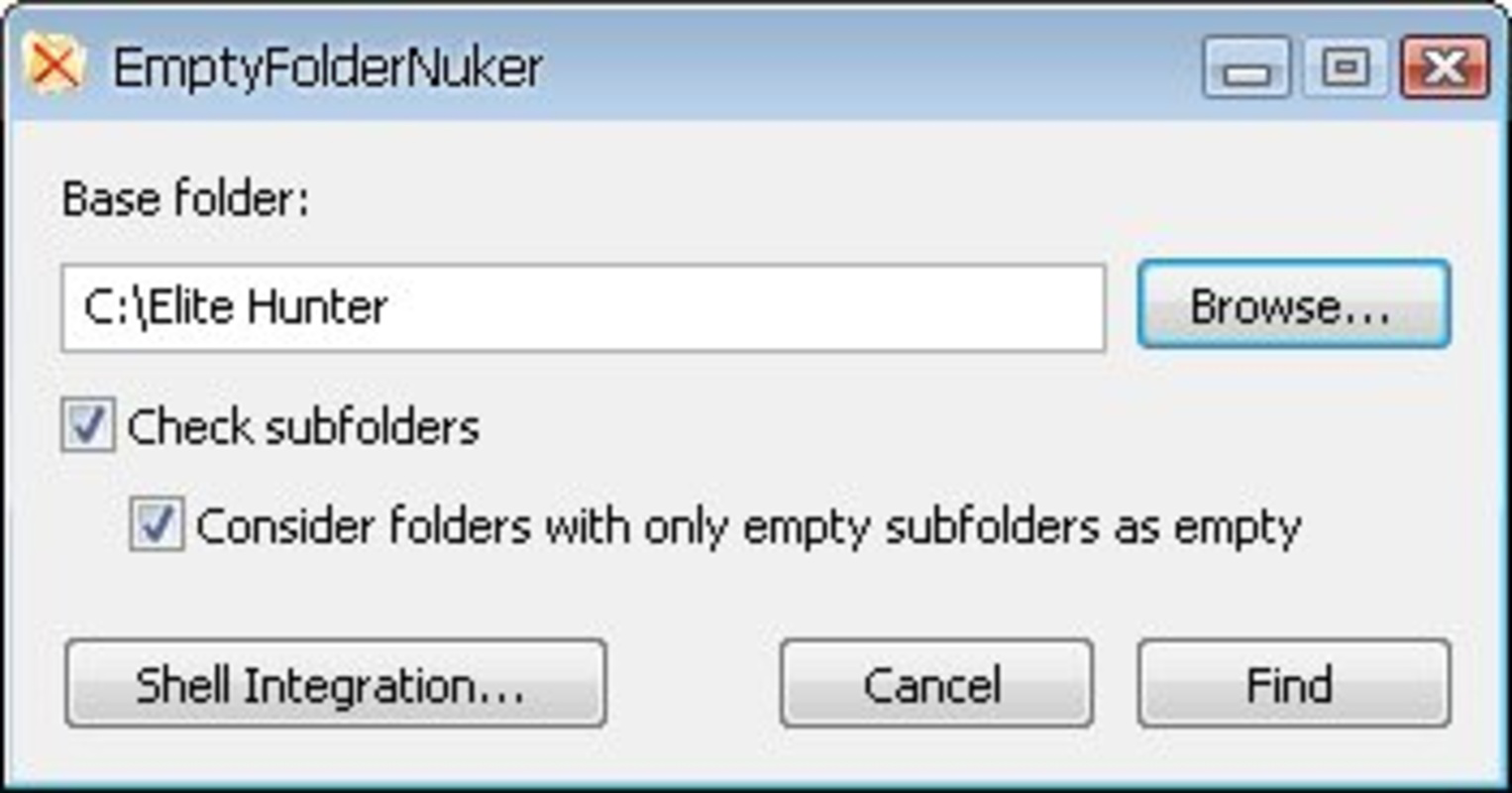
Empty Folder Nuker features a clean, minimalistic interface that prioritizes functionality over visual complexity. The layout is straightforward, with clearly labeled buttons and a simple list view displaying identified empty folders. Navigation is intuitive, requiring minimal learning curve—users can start scanning immediately after launching the executable.
The visual style is functional rather than decorative, aligning with the tool’s utility-focused purpose. There are no distracting animations or unnecessary graphics, ensuring that the interface remains responsive and efficient. Users can select a directory, initiate the scan, and review results with ease. Although the developer did not list formal performance metrics, the tool’s speed in scanning and listing folders suggests optimized code execution.
Performance appears consistent across different device categories, with no reported issues related to lag or crashes. Responsiveness is strong, allowing users to interact with the interface smoothly even on older hardware. Stability is maintained during operation, with no indication of data loss or system instability. The lightweight nature of the application—only 2.4 MB in size—contributes to its efficient resource usage and fast startup time.
Platform Compatibility & Technical Requirements
Empty Folder Nuker is designed exclusively for the Windows platform. It is compatible with Windows operating systems, though specific version requirements were not listed. The application is available as a standalone executable file, meaning users can run it directly without installation. The file size is 2.4 MB, making it highly portable and suitable for use on devices with limited storage.
The developer did not specify minimum OS requirements, nor did they provide details on hardware specifications. However, given its small size and lightweight design, it is likely to function on a wide range of Windows systems, including older versions. Compatibility information was not fully disclosed, so users should exercise caution when deploying on unsupported environments.
Pros and Cons
Pros
- Portable – no installation required, ideal for temporary or shared systems
- Fast scanning – identifies empty folders in seconds
- Simple one-click deletion – reduces user effort and time
- Windows integration – accessible from file explorer context menu
- Lightweight – only 2.4 MB in size, minimal system impact
Cons
- Platform-specific – only available for Windows
- No version history or update logs provided
- Developer details not fully disclosed
- Compatibility with newer Windows versions not confirmed
- Limited customization options for scan settings
FAQ
Is Empty Folder Nuker safe to use?
Yes, the tool is designed to only target empty folders. It does not modify or delete files within folders, minimizing the risk of data loss. However, users should always verify the list before deletion.
Can I use Empty Folder Nuker on older versions of Windows?
While the developer did not specify compatibility details, the lightweight nature of the app suggests it may work on older Windows systems. Users should test it on their specific setup.
Do I need to install the app?
No. Empty Folder Nuker is portable and can be run directly from the executable file without installation.
Is the app free to download and use?
Yes, the app is available for free. There are no hidden costs or subscription fees.
Can I integrate Empty Folder Nuker with my file explorer?
Yes, the tool supports integration with Windows file explorer, allowing users to initiate scans directly from the context menu.
Final Thoughts
Empty Folder Nuker delivers a focused, efficient solution for users seeking to clean up empty directories on their Windows systems. Its portability, speed, and simplicity make it a standout tool in the utilities category. While it lacks advanced customization and modern UI polish, its core functionality remains reliable and effective.
It is especially beneficial for users who value quick, no-frills tools that don’t require setup or leave behind traces. Whether used for routine maintenance, system optimization, or preparing a machine for backup, Empty Folder Nuker proves its worth through consistent performance.
Despite its age and limited developer transparency, the app continues to serve its purpose well. For anyone looking to declutter their system with minimal effort, this lightweight utility offers real value.
Download Empty Folder Nuker now
Guides & Tutorials for Empty Folder Nuker
How to install Empty Folder Nuker
- Click the Preview / Download button above.
- Once redirected, accept the terms and click Install.
- Wait for the Empty Folder Nuker download to finish on your device.
How to use Empty Folder Nuker
This software is primarily used for its core features described above. Open the app after installation to explore its capabilities.
User Reviews for Empty Folder Nuker 0
No reviews found


